Honda Pilot Elite Head-Up Display (HUD) Double Vision: Windshield Polarized Film Realignment Hacks
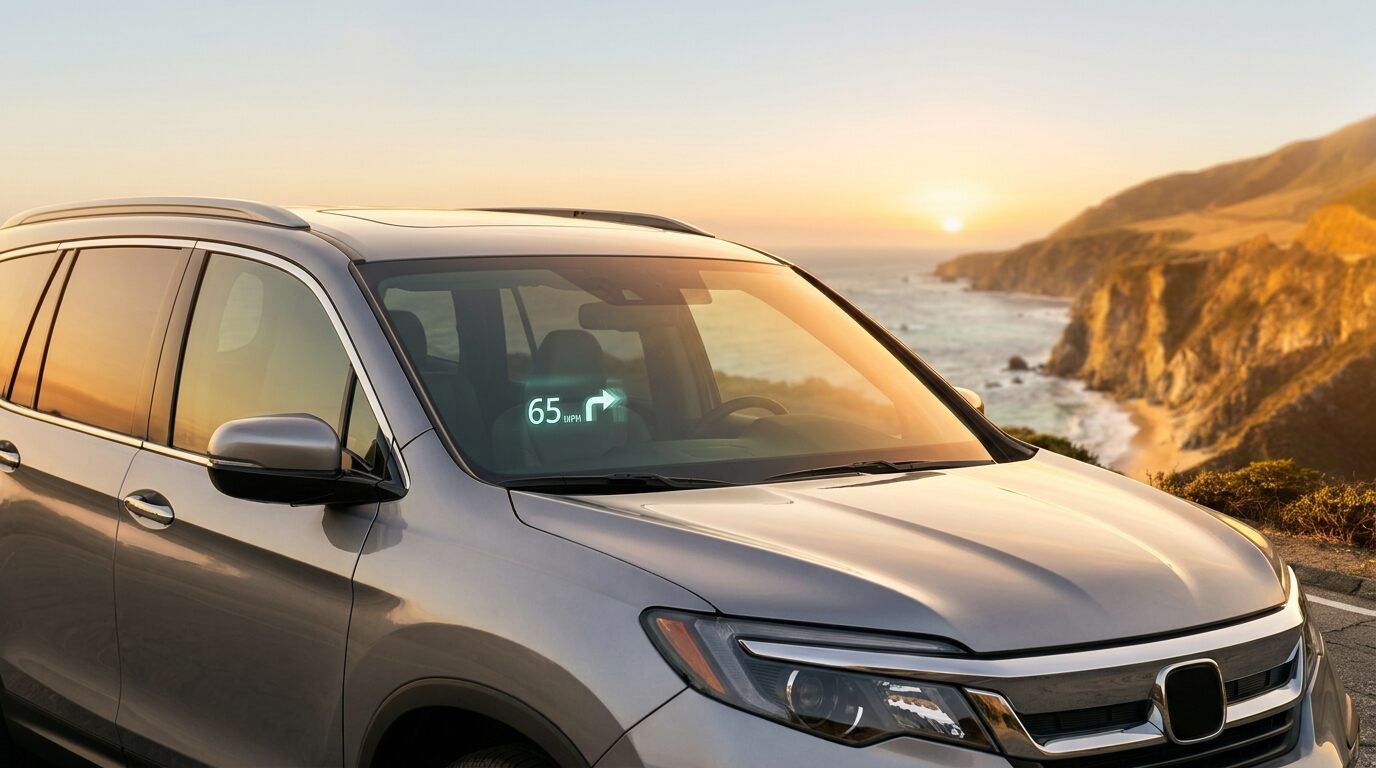
There’s a unique frustration in watching a crisp speed reading or navigation prompt suddenly split into two blurry, overlapping images on your Pilot Elite’s windshield—a problem that often points not to a complex electrical failure, but to the very glass you’re looking through.
If you’re dealing with a “ghost image” or double vision in your HUD, know that it’s a known optical phenomenon. It happens because the HUD projector sends light to the windshield, which is made of two layers of glass. The light reflects off both the inner and outer surfaces, creating two images that can be seen by the driver if they don’t overlap perfectly.
Why Does This Happen on My Pilot Elite?
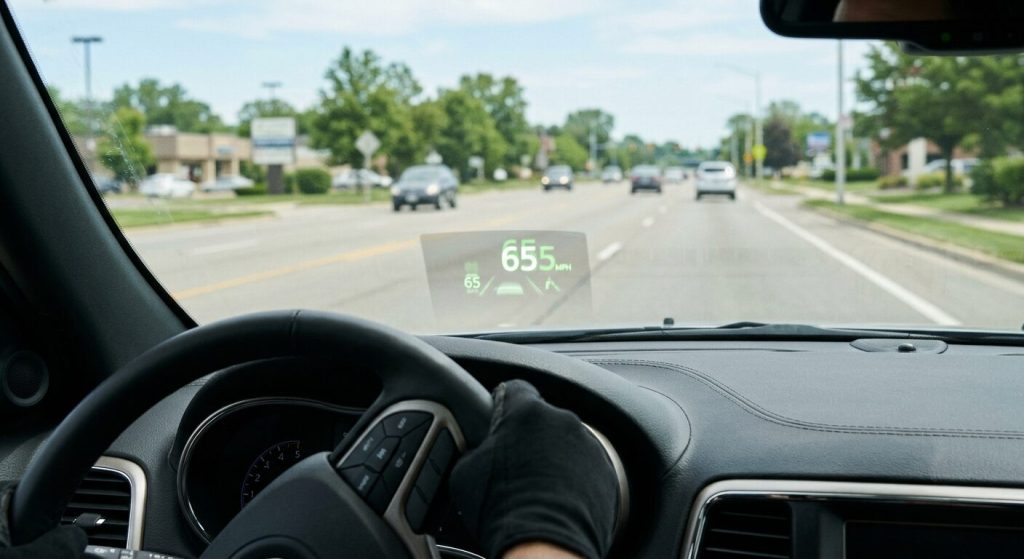
There are a few common reasons for this issue, especially on newer models like the 2024 and 2025 Pilot Elite.
- The Wrong Windshield Was Installed: This is the most frequent cause, particularly if your windshield has been replaced. A standard windshield doesn’t have the necessary wedge-shaped plastic laminate between its glass layers to align the two reflections. The result is a persistent ghost image that no amount of “hacking” can fix. If your glass was replaced by a third party like Safelite with a non-OEM part, this is a likely suspect.
- Software or Calibration Glitch: In some cases, the issue might not be the glass itself. One owner with a 2024 Elite found that a simple software “reset” or a hard reset of the infotainment system resolved similar HUD issues.
- Heat-Related Distortion: The HUD projector unit can get very hot. Panasonic, a major supplier for these systems, sells special films designed to block infrared light from entering the unit to reduce heat and protect the image. While not a confirmed cause for the Pilot, it’s a factor in HUD image quality in general.
Affected Models & Years
Which Pilot Models Are Affected?
The HUD double-vision issue is most commonly reported on Pilot Elite trims from the 2023 model year onward, when Honda introduced the current-generation Pilot with the available Head-Up Display. Because the HUD is largely a trim-specific feature, other trims are less likely to encounter it—but the underlying cause (a non-HUD-compliant replacement windshield) can affect any vehicle with a HUD.
| Model Year | Trim | HUD Equipped | Notes |
|---|---|---|---|
| 2023–2026 | Pilot Elite | Yes (standard) | Most reported cases |
| 2023–2026 | Pilot Touring | No (typically) | Verify with dealer |
| 2023–2026 | Pilot Black Edition | No (typically) | Verify with dealer |
| 2016–2022 | Pilot Elite | Varies by year | Older HUD systems differ |
Note: Trim availability and HUD inclusion can vary by market and model year. Always confirm with your dealer or owner’s manual before assuming your vehicle is affected.
OEM vs. Aftermarket Windshield — What’s the Real Difference?
The single most important factor in a clear HUD image is the wedge-shaped interlayer sandwiched between the two layers of glass. This interlayer is precisely angled so that the reflection from the inner glass surface and the reflection from the outer glass surface overlap perfectly at the driver’s eye position.
- OEM (Honda Genuine) Windshield: Engineered to the exact wedge angle required for the Pilot Elite’s HUD projector. Carries the HUD-compliant marking.
- HUD-Compliant Aftermarket Windshield: Some aftermarket manufacturers produce HUD-ready glass. These can work, but quality and wedge precision vary. Always verify the HUD marking and confirm with the installer.
- Standard (Non-HUD) Aftermarket Windshield: Lacks the wedge interlayer entirely. Will produce persistent ghosting that no calibration or “hack” can fix.
Bottom line: If your Pilot Elite has a HUD, the windshield is not a “universal fit” part. Treat it as a precision optical component.
“Realignment Hacks” and What Actually Works
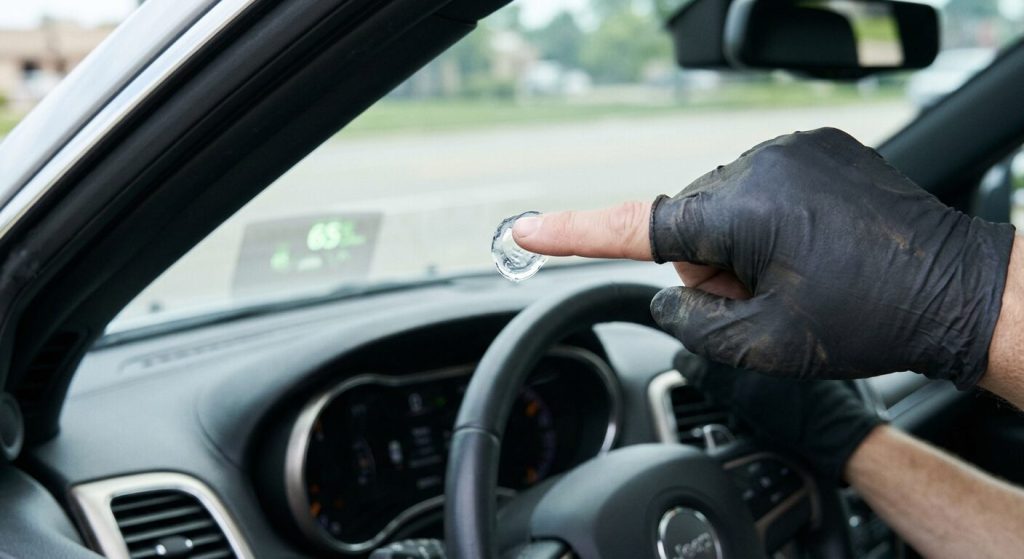
Let’s be clear: there is no easy “hack” to physically realign a polarized film or the HUD projector in your Pilot Elite. These systems are factory-calibrated and require specialized equipment to adjust. However, you can diagnose the problem and take the right steps to fix it.
The Vaseline Diagnostic Test (For Professionals)
A known diagnostic trick for double vision in HUDs is to put a small amount of Vaseline on the outside of the windshield directly over the HUD display area. If the ghost image disappears, it’s a clear indicator that the issue is with the windshield’s wedge angle, not the projector. This test requires a professional’s touch to avoid smearing and is best done by your dealer or a glass specialist.
The “Hack” for a Replacement Windshield
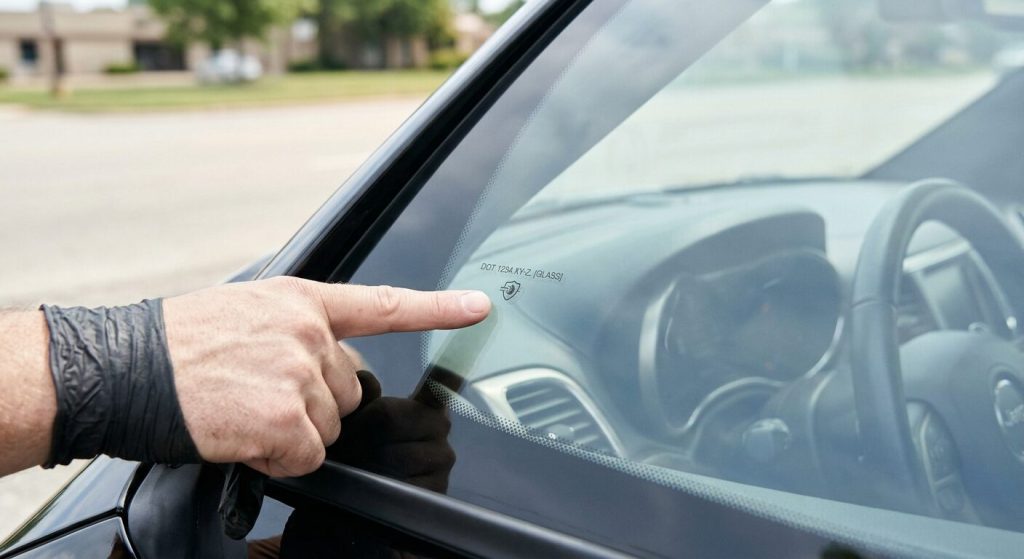
If you have a non-HUD-compliant windshield, the only real “hack” is to get the correct one. A HUD-compliant windshield will have specific identifying marks, usually in the lower right corner. If your current windshield doesn’t have this mark, or if the ghosting offset is greater than 25% of a character’s width, the solution is to have an OEM or HUD-compliant windshield installed.
How Much Does a HUD-Compliant Windshield Cost?
Cost is one of the most common concerns—and one of the most variable. The figures below are general ranges and will differ by region, dealer, and insurance coverage.
| Option | Estimated Cost Range | Notes |
|---|---|---|
| Dealer OEM HUD windshield (parts + labor) | $1,200 – $2,500+ | Includes calibration in many cases |
| Independent shop, OEM glass | $900 – $1,800 | Confirm HUD marking before install |
| Independent shop, HUD-compliant aftermarket | $600 – $1,200 | Quality varies; verify marking |
| Standard non-HUD windshield | $300 – $700 | Not suitable — will cause ghosting |
| Recalibration (if needed separately) | $150 – $400 | Required on many modern HUD systems |
Insurance tip: Many comprehensive policies cover windshield replacement, but HUD recalibration may be billed separately. Ask your insurer specifically whether calibration is included before approving a repair.
Step-by-Step Troubleshooting for Your Pilot Elite
If your HUD is blurry or you see double, here’s a logical path to follow:
- Check for Software Issues: Before suspecting hardware, try a factory reset of your infotainment system. This is a common first step and may resolve glitches.
- Inspect the Windshield: Look for the HUD-compliant marking in the lower right corner of your windshield. If it’s missing and your windshield was recently replaced, contact the installer.
- Visit the Dealership (Warranty): If your car is new and the windshield is original, this is a warranty issue. Explain the double vision and ask them to perform the proper diagnostics, which may involve testing the wedge angle of your glass.
- Dealer Windshield Replacement: If you need a new windshield, insist on an OEM Honda replacement. Aftermarket glass often lacks the precision wedge needed for a clear HUD image. The cost can be significant, but it’s the only permanent fix for a glass problem.
Prevention: Protecting Your HUD Windshield
Once you have the correct glass, a few habits help preserve a clear HUD image:
- Specify “HUD-compliant” at every replacement. Tell the installer your trim and that the vehicle has a Head-Up Display—in writing if possible.
- Keep the projector area clean. Dust and smudges on the inside of the windshield over the HUD area can mimic blurring.
- Avoid harsh interior cleaners on the HUD zone. Some chemicals leave a film that scatters projector light.
- Address chips early. A small chip near the HUD projection area can distort the image and may spread into a crack.
- Keep software current. Infotainment and HUD-related updates can resolve minor display glitches.
Post-Replacement Verification Checklist
Before you drive away after a windshield replacement, run through this checklist:
- Locate the HUD-compliant marking in the lower right corner of the new glass.
- Confirm the part number on your invoice matches an OEM or verified HUD-compliant unit.
- Start the vehicle and check the HUD at a standstill—look for ghosting or double images.
- Test at different brightness levels (day and, if possible, night settings).
- Ask whether recalibration was performed and get it documented.
- Keep your receipt and warranty paperwork—glass defects and installation issues are often covered.
- Note any lingering ghosting immediately and report it before leaving the shop.
When It’s NOT the Windshield
While incorrect glass is the most common cause, not every ghost image traces back to the windshield. Consider these alternatives before authorizing an expensive replacement:
- Software or calibration glitch: A factory reset or dealer recalibration has resolved some cases.
- Projector heat and wear: The HUD unit can degrade or distort over time, especially with heat exposure.
- Dirty or damaged projector lens: Dust or scratches inside the unit can blur the image.
- Loose or misaligned projector housing: Rare, but possible after interior work or a collision repair.
- Driver eye-position changes: Seat height and driving posture affect how the two reflections align.
If a system reset and a visual inspection of the glass don’t resolve the issue, have the dealer test the projector and calibration before replacing the windshield.
Frequently Asked Questions
What causes the HUD image to look double or blurry in my Pilot Elite?
This is almost always caused by two reflections from the inner and outer layers of the windshield glass not overlapping perfectly. This is usually a problem with the windshield itself, not the HUD projector.
How can I tell if my Pilot Elite has the correct HUD windshield?
Look for the HUD-compliant identification mark, typically found in the lower right corner of the windshield. If it’s not there, especially after a replacement, you likely have the wrong glass.
Will a software reset fix my HUD double vision?
It’s worth trying. A factory reset of the infotainment system has resolved some HUD issues, but it’s not a guaranteed fix.
Can I install a non-OEM windshield and still have a clear HUD?
It’s not recommended. Non-OEM windshields often don’t have the precise wedge-shaped interlayer required to align the HUD’s reflections, leading to persistent double images.
My HUD is blurry or ghosting, what should I do first?
Try a system reset. If the problem persists and your vehicle is under warranty, contact your Honda dealer. If your windshield was recently replaced, check if it’s a genuine Honda part.
Conclusion
Double vision in your Honda Pilot Elite’s Head-Up Display is frustrating, but it’s rarely a mystery. In the vast majority of cases, the culprit is the windshield itself—specifically, a non-HUD-compliant replacement that lacks the precision wedge-shaped interlayer needed to align the projector’s reflections.
The good news is that the fix is well understood. Start with the simple steps: reset the infotainment system, inspect the lower right corner of your glass for the HUD-compliant marking, and confirm whether your windshield was recently replaced. If the glass is the problem, the only permanent solution is a correct, HUD-compliant windshield—ideally OEM Honda glass installed and calibrated by a qualified shop.
There is no shortcut or “hack” that reliably realigns a polarized film or projector. The Vaseline test is a professional diagnostic tool, not a DIY fix, and aftermarket glass without the proper wedge will keep ghosting no matter what you try. Treat your HUD windshield as the precision optical component it is, verify the part before installation, and use the post-replacement checklist to protect your investment.
With the right glass and a proper installation, your Pilot Elite’s HUD will return to the crisp, single-image display it was designed to deliver—keeping your speed and navigation prompts exactly where they belong: clear, readable, and safely in your line of sight.